Seasonal guide
An AI Halloween video with a warmer ending
Plan an AI Halloween video from two portraits. Choose a zombie reunion scene, watch real examples, and prepare a 15-second story with a warm ending.
Last updated: 2026-10-25
An AI Halloween video can begin with an unsettling encounter and end with recognition. The zombie couple AI video generator builds that contrast from two references, a cold scene and a warm memory. The result is a fictional reunion with generated sound, designed around familiar faces rather than a catalogue of costumes.
Choose the story because its emotional turn suits the people you are making it for. A partner, adult relative, friend or companion animal can give the encounter meaning beyond a frightening appearance. Seasonal context can shape the caption, but it does not replace a clear connection between the two characters.
Who should star in your AI Halloween video?
Partner is one option, and it is not the only one. Family and Best friend give a two-person reunion a different context, while Pet adapts the request to an owner and animal. Choose the relationship before writing a memory so the setting and interaction support the same idea.
Use photos you own or have permission to use. For people, choose consenting adults who are comfortable appearing in this fictional zombie scene. A humorous post can still feel personal to someone whose face is central to it, so agree on the intended portrayal before sharing.
| Relationship | Story idea | Actual example available |
|---|---|---|
| Partner | A cold encounter that resolves in a golden memory | Cabin Reunion, landscape Cinema HD. |
| Family | Recognition followed by a welcoming home scene | Father and adult daughter, portrait Standard. |
| Best friend | A reunion with a quiet seaside ending | Lifelong Friends, landscape Standard. |
| Pet | A familiar companion returning to the owner | Owner and golden retriever, portrait Standard. |
These examples document specific generated results, rather than every possible combination. A cat request, another setting or a different cast may behave differently. Compare the available case closest to your idea before deciding which settings to use.
Which cold setting keeps the faces readable?
The studio offers Ruined cabin, Overgrown path, Twilight street and Snowbound cabin as scene choices. They provide different atmosphere for the encounter, but the people or animal still need to be readable. Darkness should support the scene instead of hiding the identity that makes recognition possible.
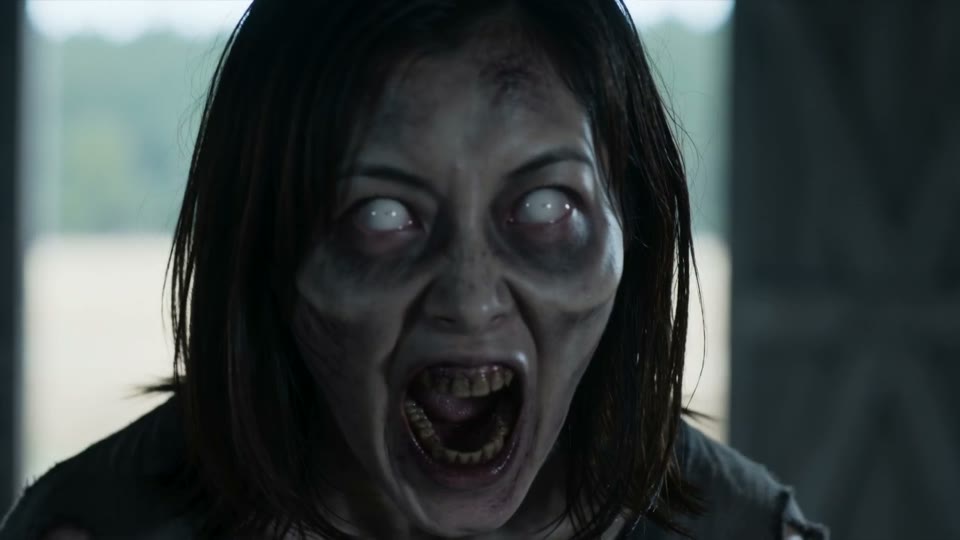
A cold-scene frame from the actual Cabin Reunion video. The image demonstrates the published interpretation, not a separate Halloween filter.
For an enclosed, cinematic setting, the zombie couple abandoned cabin breakdown shows the original film and its settings. Use that case when the transition from a damaged interior to an open warm memory is the main idea. It is better supported than assuming a new location has already produced the same effect.
Snow can provide another kind of visual separation, especially when the memory is indoors. The published Family case demonstrates snow with two adult relatives; it does not establish the result of a snowy romantic version. Keep the distinction between a selectable option and a demonstrated example when choosing what to expect.
What should the warm memory communicate?
The warm setting is the resolution, so choose it with the relationship in mind. A meadow can emphasize relief and open space, a home can communicate belonging, and a seaside memory can feel quiet and reflective. You can select a named setting without disclosing a real address or personal history.
Keep the custom-memory text short and specific. Describe the people, their connection and one welcoming action, rather than trying to fit a complete script into the field. The current field allows 180 characters, so a focused image usually communicates more than a long sequence of competing directions.
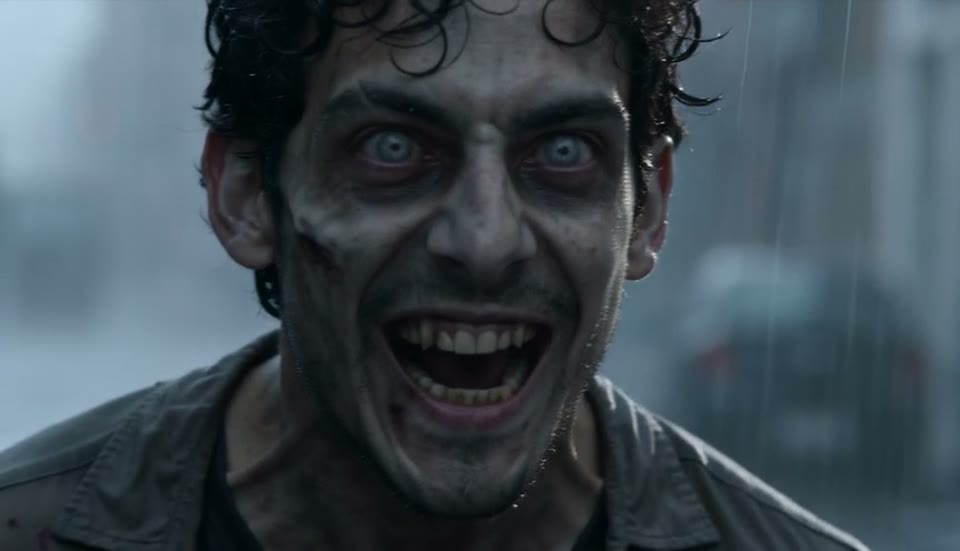
A frame from the separate Lifelong Friends result. Friendship uses its own relationship direction instead of assuming every reunion is romantic.
The change in setting should be understandable even without text on the image. Watch the moment of transition in the full video to see whether the identities and movement carry through. A still can show atmosphere, but it cannot prove that the action connects cleanly.
How do you plan an AI Halloween video from two photos?
Begin with the two references and verify their role order. The survivor belongs in photo 1, and the infected character or pet in photo 2. The studio swap control changes those assignments before generation, while shot composition may place the characters differently on screen.
- Choose a relationship and a gallery case close to your idea.
- Select two readable, authorized reference photos.
- Pick the cold scene and a separate warm memory.
- Choose portrait 9:16 or landscape 16:9 for the intended viewing surface.
- Review the selected quality, permission confirmation and credit cost.
- Create once, then inspect the delivered result before considering another version.
The request uses a 15-second, nine-shot plan with sound. Standard is 480p for 10 credits, and Cinema HD is 720p for 22 credits. These specifications belong to the current ZombieVideo workflow, so a description promising 2K or a fixed 40-credit render would be inaccurate.
A prepared reunion versus a blank seasonal prompt
A seasonal brief can easily become a list of props without a clear event. The prepared reunion sequence supplies a beginning, a turning point and a resolved ending before you add personal references. Your decisions then focus on who appears, how they are related and where the story changes.
| Decision | ZombieVideo reunion | Blank seasonal prompt |
|---|---|---|
| First step | Cast two characters with defined photo roles | Decide who appears and how references identify them. |
| Direction | An encounter turns into recognition and reunion | Construct a narrative beyond a costume or decoration. |
| Controls | Relationship, setting, memory and tone | Coordinate the emotional and visual instructions. |
| Delivery | 15-second MP4 in portrait or landscape, with sound | Set duration, framing and sound for the chosen model. |
| Ending | A warmer memory gives the scene a resolution | Explain what should change in the final moment. |
The controls are useful when this particular story matches your idea. They do not turn the studio into a general character animator, a costume try-on tool or a group-party generator. If those are the main requirements, the presence of the word Halloween does not make the workflow suitable.
Prepare the post after you review the film
Watch once for the emotional sequence, once for faces and movement, and once for audio. Check whether the opening is appropriate for your audience before using a dramatic caption or cover. The intended appearance is non-graphic, but the delivered interpretation still needs your review.
For vertical posting, the zombie couple TikTok format guide explains file shape, caption placement and the separate SRT draft. The Publishing kit prepares supporting words; it does not automatically publish the video or embed every line into the MP4. Add only text that matches what actually happens in the result.
Download the original and keep an edited copy for any platform-specific version. Clearly identify the AI imagery and avoid presenting the scene as a real injury, emergency or recovered memory. An AI Halloween video can be personal and atmospheric while remaining clear about its fictional origin.
Questions before you create
What kind of AI Halloween video can I make here?
The current tool makes a 15-second fictional zombie reunion from two photo references. You choose the relationship, cold scene, warm memory, tone and output format. It is not a general costume-change tool or a library of every Halloween trend. Choose this workflow when a recognizable reunion is the story you want.
Can I make the AI Halloween video without a partner?
You can select Family, Best friend or Pet instead of Partner. The story still needs two references: two adults, or one adult owner and one companion animal. A relationship choice changes the emotional direction; it does not turn the workflow into a single-photo transformation or a multi-person party scene.
Does the Halloween version add costumes or pumpkins automatically?
There is no separate Halloween renderer that adds a fixed set of seasonal props. This guide uses the existing zombie reunion scenes and story settings. A text request may be interpreted creatively, but it does not guarantee a particular costume or object. Inspect the actual examples rather than assuming seasonal decorations are included.
Can I create a free personalized Halloween video?
Planning the story, choosing photos and preparing publishing text are available without generating a personal video. A new video requires credits after review: 10 for Standard or 22 for Cinema HD. Watching a gallery sample is different from rendering your own result, and an account does not imply a free personalized generation.
How early should I create a Halloween story?
Leave time to inspect the result, make any optional edits and preview the final post in the intended app. Processing queues and creative variation can affect your plan, so a fixed delivery minute is not promised. Do not wait until your preferred posting time to check whether the references, framing and story suit you.
Will making a seasonal video guarantee views?
No. A seasonal subject does not guarantee reach, engagement or an audience response. Choose a story that is useful or meaningful to the people you intend to show it to, and describe the AI imagery honestly. The sample demonstrates a creative format, rather than evidence of what your post will earn or how widely it will spread.