Scene
A zombie couple abandoned cabin story, shot by shot
Build a zombie couple abandoned cabin video from two portraits. Explore real film frames, the cold-to-warm cut, and settings for a 15-second reunion.
Last updated: 2026-10-25
A zombie couple abandoned cabin scene gives the reunion a simple visual question: can someone still recognize a familiar person in a changed world? The zombie couple AI video generator uses your two references to request that encounter and a warmer memory afterward. The cabin is one setting within the story, rather than a different generation model.
This breakdown uses the actual published Cabin Reunion film. The frame times describe that example and help you inspect it; they are not deadlines the next render must follow exactly. Start by watching the original with sound, then look at how the cold interior and the golden ending relate.
Watch the zombie couple abandoned cabin example
Original Cabin Reunion result: 15.104 seconds, landscape 16:9, Cinema HD. It was generated separately from the other gallery stories.
Look at the relationship between close views and wider shots. A close face establishes recognition, while a wider view makes the distance between the characters understandable. The ending works when the same pair remains readable after the setting changes.
The cabin does not need a long list of decorative objects to communicate abandonment. Broken surfaces, a colder palette and a restrained background leave attention on the people. Asking for many unrelated props can compete with the central action instead of strengthening it.
Restore a known setting combination
In Examples, find Cabin Reunion and choose Use. The studio restores its Partner relationship, cabin scene, meadow memory, Tender tone, Cinema HD quality and landscape frame. The six gallery cards remain different cases; a snowy family story is not evidence for an untested snowy couple render.
| Setting | Published example | What it controls |
|---|---|---|
| Relationship | Partner | The emotional connection between the two references. |
| Cold scene | Ruined cabin | The location of the encounter. |
| Warm memory | Sunlit meadow | The contrasting location for the ending. |
| Tone | Tender | The intended feeling of the reunion. |
| Quality and frame | Cinema HD, 720p, 16:9 | Output settings; the current cost is 22 credits. |
Upload your own authorized portraits after restoring the case. Matching settings does not mean the generator reuses the reference actors or locks every camera position. Use a short, relevant custom memory only if you want to change the warm scene deliberately.
How does the cold cabin establish recognition?
The opening needs enough facial information for the viewer to understand the connection. The survivor's reaction and the infected character's changed appearance should be readable without making the entire image too dark. A gloomy location is useful; an unreadable face is not.
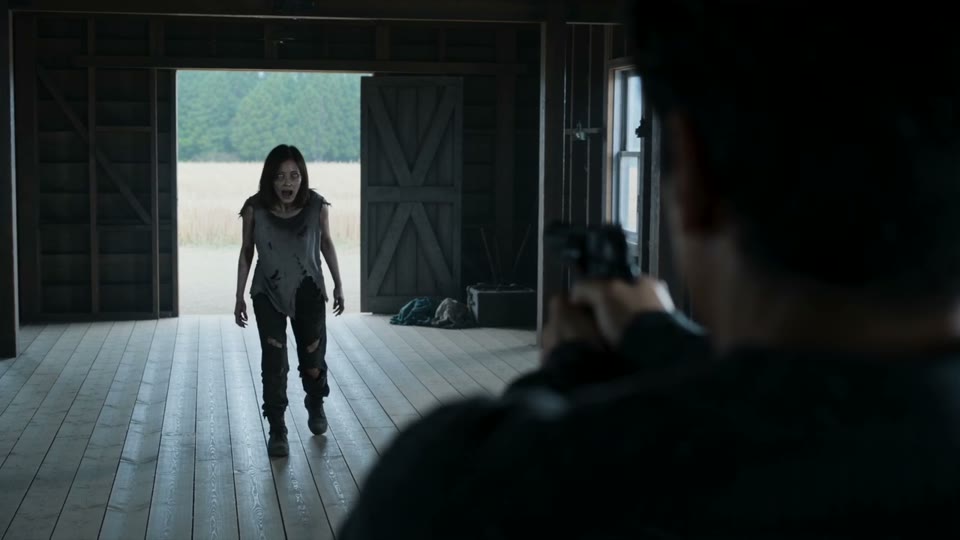
A frame at three seconds from the published film. Inspect the face, available light and background separation in the actual result.
Choose source portraits with good light even though the fictional location is darker. The generator receives those photographs as identity references and creates the lighting of the new scene itself. Darkening a source portrait to match the cabin removes detail before generation starts.
The photo to zombie guide includes clarity and crop comparisons for this step. Take time over both portraits: a detailed survivor paired with a tiny, obstructed face leaves one character much harder to identify. The setting cannot compensate for an unreadable reference.
How do you make the approach readable before the memory cut?
Distance is part of the story. The viewer needs to see an uncertain encounter become an intentional approach, rather than discovering that the two characters are already touching. A wider composition can make the closing gap easier to follow.
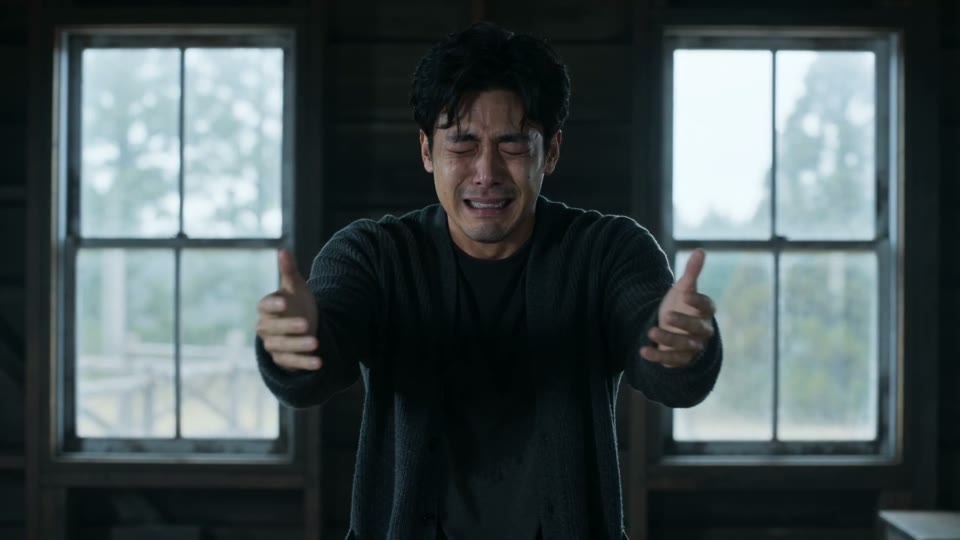
The eight-second frame gives a second point for comparing staging and movement. Watch the adjacent shots in the player to judge the action.
The preset provides a sequence and direction for that movement. It does not offer keyframes for each hand, foot or expression, and a new render may interpret the approach differently. Judge continuity through playback rather than choosing a flattering still that hides an awkward transition.
When reviewing a result, check who moves, whether the other person is recognizable and how their positions relate across the cut. The emotional turn can survive a small timing difference, but a reversed identity or unclear contact may distract from it. Keep those observations separate from whether the video technically completed.
Why end a zombie couple abandoned cabin video outdoors?
The meadow changes the light, space and apparent safety all at once. In the cold scene the pair face uncertainty; in the memory they appear together in a healthy, warmer world. That contrast communicates an emotional resolution quickly enough for a short film.
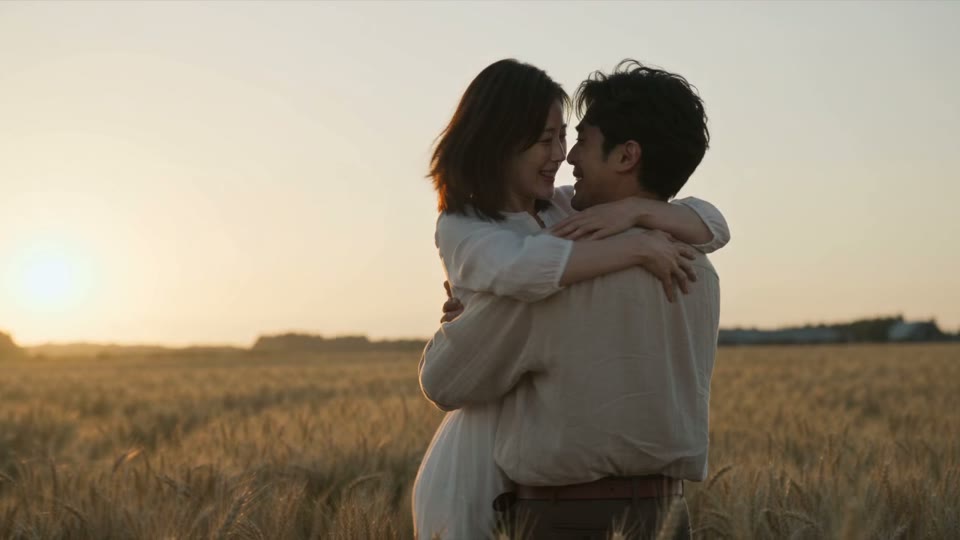
A thirteen-second frame from the same original result. The warm outdoor memory contrasts with the earlier cabin.
A meadow is the published example's choice, not a requirement for every story. You can select a home, seaside, autumn or snow memory in the Story lab. Change one main setting at a time if you want to understand how the interpretation differs.
For a cold snow scene paired with a domestic ending, the AI family reunion example documents a separate two-adult setup. It illustrates the scene-versus-memory distinction without claiming that every relationship and location combination has already been tested. Choose the example closest to the story you actually want.
Compare the preset with a blank scene prompt
The preset saves you from specifying the entire recognition-to-memory structure before you can begin. You still decide the identities, relationship and important settings. If you need exact choreography, an editable timeline or a faithful reconstruction of a particular building, those expectations exceed the preset's controls.
| Decision | Cabin story in ZombieVideo | Blank prompt starting point |
|---|---|---|
| Setup | Two character references with assigned roles | Explain how each reference enters the scene. |
| Narrative | A prepared encounter-to-memory sequence | Build a beginning, turning point and ending. |
| Control | Separate cold location and warm memory | Keep location instructions consistent across shots. |
| Composition | Choose portrait or landscape before creation | Coordinate aspect ratio with the shot description. |
| Finish | A warmer reunion is part of the request | Write the visual and emotional resolution. |
Before creating a zombie couple abandoned cabin video, compare the requested story with the visible sample and the review screen. Standard uses 10 credits for 480p, while Cinema HD uses 22 credits for 720p; another render is another creation. Download the MP4 you want to keep, inspect its sound and transitions, and identify it as AI-generated when you share it.
Questions before you create
What happens in the zombie couple abandoned cabin story?
The requested story moves from a tense encounter to recognition, an approach and a warm reunion memory. The published example begins in a ruined cabin and ends in a golden field. It uses a nine-shot, 15-second plan, but a generated result can change individual actions, framing and the exact transition.
Which settings match the Cabin Reunion example?
Choose Partner, Ruined cabin, Sunlit meadow, Tender and 16:9. The published Cabin Reunion case uses Cinema HD, which is the 720p option for 22 credits. Selecting Use on that gallery case restores these story choices; it does not reproduce the same performance or provide the original character photos.
Can I make the abandoned cabin scene in 9:16?
The studio also offers portrait 9:16. Choose that format before creating a new video and expect the camera to compose the scene differently. The published Cabin Reunion example is landscape, so it is evidence for that format. It is not a tested demonstration of an identical portrait version.
Does Cinema HD mean the cabin video is 2K?
Cinema HD currently requests 720p. Standard requests 480p, and both use the same 15-second story workflow. The quality labels do not imply 2K or 4K output. Check the selected resolution and credit cost on the review screen rather than borrowing specifications from another zombie video service.
Can I control the exact frame where the memory starts?
The story request includes shot and transition directions, but there is no frame-accurate timeline editor for the generated performance. The model can move an action or interpret the contact differently. If you need an exact editorial cut, download the result and make that adjustment in a separate video editor.
Why does my cabin result differ from the sample?
Each render creates new footage from your references and story settings. Character appearance, movement, camera framing and sound can vary even when the settings match. The example shows a real delivered interpretation, rather than a fixed animation into which your faces are pasted. Review it as a reference for the story and mood.